


 Keyless

 Version History



 Report
desc
loadstring(game:HttpGet("https://www.earnlnk.xyz/scripts/raw/gag2best"))()
 RAW
 EarnLink Git
 main
 main (default)
 Single-File Git
8d5a47d
 SDK & CLI
 User 5869399736









How to Execute This Roblox Lua Script Quick Guide
- Install a working Luau injector from our live Roblox Executors compatibility tracker (Windows, Android, iOS, or macOS).
- Launch Roblox, join Grow a Garden, and attach your executor once the game world finishes loading.
- Click Copy above, paste the Lua loadstring into your executor editor, and press Execute.
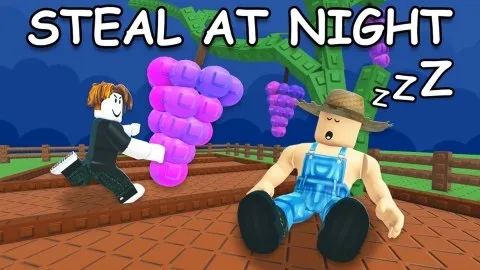
Script Overview & Safety Summary — Grow A Garden 2 OP Script 🔥
This entry (Grow A Garden 2 OP Script 🔥) targets Grow a Garden on the Roblox Luau runtime. This release runs without a third-party key wall (Keyless). Before running any third-party script, review the community compatibility telemetry above, inspect executor stability on our Executors Status tracker, and read user reports in the discussion thread below.
Does Grow A Garden 2 OP Script 🔥 require a key system?
No. Grow A Garden 2 OP Script 🔥 for Grow a Garden is marked as Keyless, meaning you can execute the Lua loadstring immediately without key checkpoints.
Which Roblox executors work with Grow A Garden 2 OP Script 🔥?
Grow A Garden 2 OP Script 🔥 uses standard Roblox Luau APIs and works with up-to-date Windows, Android, iOS, and macOS executors listed on the EarnLink Executors Status tracker.
How do I run Grow A Garden 2 OP Script 🔥 in Grow a Garden?
Click Copy on this page, launch Grow a Garden in Roblox, attach your preferred executor, paste the loadstring into the script editor, and press Execute.
Discussion 0

 Protected by hCaptcha
No comments yet. Be the first!