





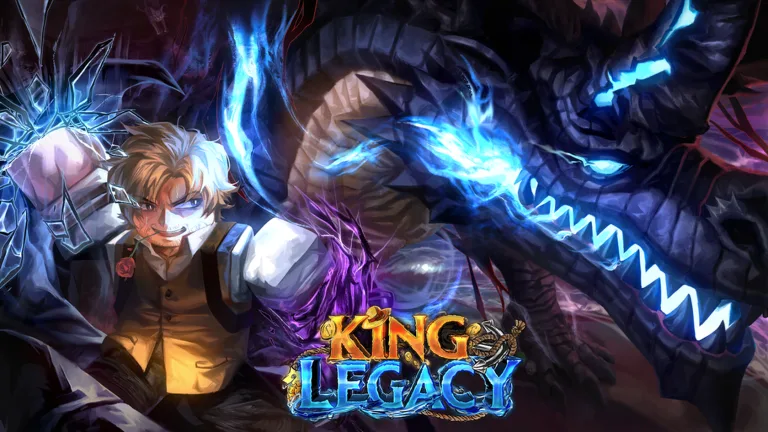
 Keyless
 Version History



 Report
desc
loadstring(game:HttpGet("https://www.earnlnk.xyz/scripts/raw/axonkinglegacy"))()
 RAW
 EarnLink Git
 main
 main (default)
 Single-File Git
ea14f21
 SDK & CLI
 User 5869399736







How to Execute This Roblox Lua Script Quick Guide
- Install a working Luau injector from our live Roblox Executors compatibility tracker (Windows, Android, iOS, or macOS).
- Launch Roblox, join King Legacy, and attach your executor once the game world finishes loading.
- Click Copy above, paste the Lua loadstring into your executor editor, and press Execute.
Script Overview & Safety Summary — Axon Hub Script for King Legacy
This entry (Axon Hub Script for King Legacy) targets King Legacy on the Roblox Luau runtime. This release runs without a third-party key wall (Keyless). Before running any third-party script, review the community compatibility telemetry above, inspect executor stability on our Executors Status tracker, and read user reports in the discussion thread below.
Does Axon Hub Script for King Legacy require a key system?
No. Axon Hub Script for King Legacy for King Legacy is marked as Keyless, meaning you can execute the Lua loadstring immediately without key checkpoints.
Which Roblox executors work with Axon Hub Script for King Legacy?
Axon Hub Script for King Legacy uses standard Roblox Luau APIs and works with up-to-date Windows, Android, iOS, and macOS executors listed on the EarnLink Executors Status tracker.
How do I run Axon Hub Script for King Legacy in King Legacy?
Click Copy on this page, launch King Legacy in Roblox, attach your preferred executor, paste the loadstring into the script editor, and press Execute.
Discussion 3
 Protected by hCaptcha
 Copy text
Xeno supported or nah
Copy textCRAZZZZZZYYYYYYYYYYYYYYYYYYYY SCRRIIPTTTTTTTTTTTTTTTTTTTTTTTT BROOOOOOOOOOOOOOOOOOOOOOOOOOOOOOOOOOO


Good Script AF